
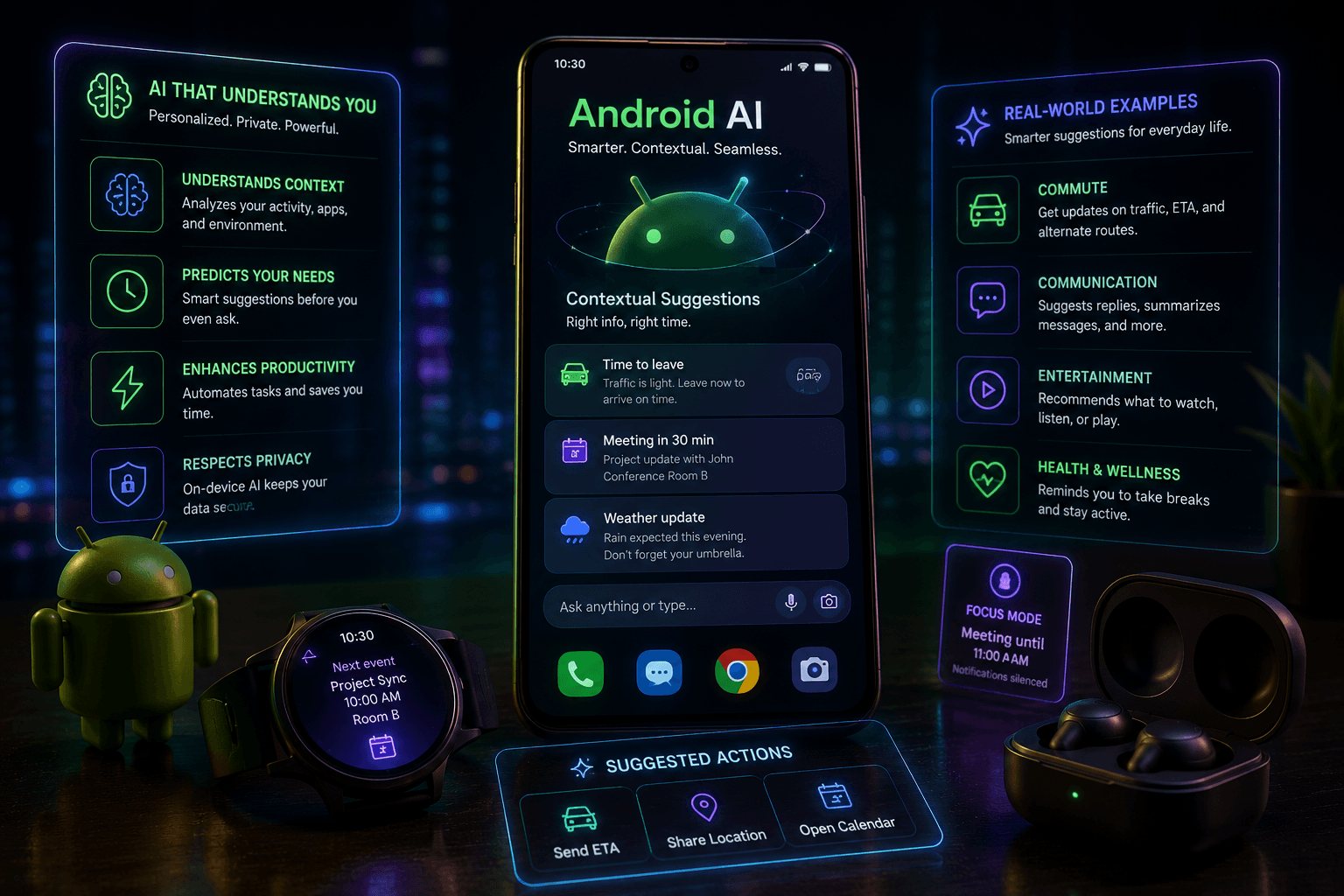

Introduction: The Rise of AI-Powered Contextual Suggestions in Android
In today's fast-paced digital world, user expectations for mobile applications are higher than ever. Users demand intuitive, efficient, and personalized experiences. Contextual suggestions, powered by artificial intelligence (AI), are rapidly becoming a cornerstone of modern Android app development, seamlessly integrating into user workflows to anticipate needs and offer relevant assistance. The increasing integration of AI in Android development signifies a paradigm shift, moving beyond static interfaces to dynamic, intelligent interactions. This blog post aims to explore the profound impact of AI on user experience within the Android ecosystem, focusing specifically on how contextual suggestions are shaping the future of how we interact with our devices.
Quick Answer: What are Android AI Contextual Suggestions?
Android AI contextual suggestions are smart features within apps that use artificial intelligence to predict user needs and offer timely, relevant information or actions. They analyze user behavior, app context, and external data to provide helpful prompts, like suggesting replies in messages or recommending content, thereby enhancing usability and engagement.
Understanding Android's AI Framework: Key Components and APIs
Android's robust AI framework provides developers with powerful tools to implement sophisticated contextual suggestion features. At the core are libraries like ML Kit, a mobile-optimized SDK that brings Google's machine learning expertise to Android and iOS apps, and TensorFlow Lite, a lightweight version of TensorFlow designed for on-device machine learning inference. These APIs enable developers to build features such as text recognition, image labeling, smart reply, and language translation directly within their applications. The choice between on-device and cloud-based AI processing often depends on factors like latency requirements, data privacy concerns, and computational complexity. On-device processing offers real-time performance and enhanced privacy as data stays local, while cloud-based processing can leverage more powerful models and larger datasets for complex tasks.
Examples of AI-Driven Contextual Suggestions in Android Apps
- Smart Reply in messaging apps: AI analyzes the content of incoming messages to predict and suggest relevant, concise responses, saving users time and effort.
- Context-aware actions in productivity apps: Applications can suggest relevant tasks, calendar entries, or file access based on the user's current activity, location, or time of day.
- Personalized content recommendations in media apps: AI algorithms learn user preferences from viewing history, ratings, and interactions to tailor content suggestions, from movies and music to news articles.
- Predictive text and autocorrection in keyboards: Advanced AI models predict the next word a user is likely to type and automatically correct spelling errors, significantly improving typing accuracy and speed.
Benefits of Implementing Contextual Suggestions for Mobile App Developers
Integrating AI-driven contextual suggestions into Android applications offers a multitude of benefits for developers and businesses. Firstly, it leads to significantly improved user engagement and retention, as apps become more helpful and less demanding. When users find an app anticipates their needs, they are more likely to return. This naturally translates into increased app usage and longer session lengths, as users explore more features and spend more time interacting with the application. Furthermore, a seamless and helpful experience fostered by intelligent suggestions enhances user satisfaction, often resulting in more positive app reviews and higher ratings in the app stores. In a crowded marketplace, the effective implementation of AI provides a powerful opportunity for differentiation and a significant competitive advantage, setting an app apart from its rivals.
Best Practices for Designing Effective Contextual Suggestions
- Prioritize user privacy and data security: Be transparent about data collection and usage, and ensure robust security measures are in place, especially for on-device processing.
- Ensure relevance and accuracy of suggestions: Continuously refine AI models to provide suggestions that are genuinely helpful and contextually appropriate, avoiding irrelevant or erroneous prompts.
- Avoid intrusive or disruptive suggestions: Suggestions should feel like a helpful assistant, not an annoying interruption. Design them to be subtle and easily dismissible.
- Provide clear explanations and control options for users: Allow users to understand why a suggestion is being made and give them the ability to disable or customize certain types of suggestions.
- A/B test and iteratively improve suggestion algorithms: Regularly test different approaches to suggestion generation and delivery, using user feedback and analytics to refine performance over time.
The Future of Android AI: Emerging Trends and Opportunities
The evolution of Android AI is far from over. We are witnessing rapid advancements in natural language processing (NLP) and computer vision, enabling more sophisticated understanding of user intent and visual information. This will unlock new possibilities for highly personalized and proactive user experiences. Imagine apps that not only suggest actions but also initiate them based on a deeper understanding of your context and goals. Furthermore, the integration of AI with other emerging technologies like Augmented Reality (AR), Virtual Reality (VR), and the Internet of Things (IoT) promises to create even more immersive and interconnected experiences. As these capabilities grow, so does the importance of addressing ethical considerations and ensuring responsible AI development, focusing on fairness, transparency, and user well-being.
Case Studies: Successful Implementations of Android AI
Numerous Android applications have already demonstrated the power of AI-driven contextual suggestions. Google's own Gboard, for instance, excels with its predictive text and smart reply features, significantly enhancing the typing experience for millions. Messaging apps like WhatsApp leverage AI for smart replies, streamlining communication. Productivity tools often employ context-aware suggestions to help users manage their schedules and tasks more efficiently. Analyzing these successful implementations reveals common threads: a deep understanding of user needs, a focus on delivering value without being intrusive, and continuous iteration based on user feedback. The impact on user engagement metrics, such as session duration and feature adoption, is often substantial, proving the business value of intelligent design.
Frequently Asked Questions
- Q: How does AI improve user experience in Android apps?
- A: AI enhances UX by making apps more intuitive, personalized, and efficient through features like smart suggestions, predictive actions, and content recommendations.
- Q: Is on-device AI processing secure for user data?
- A: Yes, on-device processing is generally considered more secure as user data remains on the device, reducing risks associated with data transmission and cloud storage.
- Q: What are the main challenges in implementing AI suggestions?
- A: Challenges include ensuring accuracy and relevance, maintaining user privacy, avoiding intrusiveness, and the technical complexity of developing and deploying AI models.
Conclusion: Embracing AI for a Smarter User Experience
AI-powered contextual suggestions are no longer a futuristic concept but a present-day reality that is fundamentally reshaping the Android user experience. By anticipating user needs and offering timely, relevant assistance, these intelligent features drive engagement, satisfaction, and loyalty. We encourage developers and product managers to actively explore the rich AI capabilities offered by the Android platform. Remember, the most successful implementations are those that prioritize user-centric design and ethical AI development, ensuring that technology serves to empower and assist users in meaningful ways. Embracing Android AI is key to building the next generation of smarter, more intuitive applications.
Ready to Elevate Your Android App with AI?
Contact BigOsoft today to learn how our AI solutions can transform your user experience. Explore our AI development services and discover the possibilities. Let us help you create a smarter, more engaging Android app.