
Introduction: The AI Revolution in Android App Development
The landscape of Android app development is in constant flux, characterized by rapid technological advancements and an ever-growing user base demanding sophisticated, feature-rich applications. This increasing complexity, coupled with the relentless pressure for faster development cycles and reduced time-to-market, presents significant challenges for development teams. Traditional methods, while effective, often struggle to keep pace with these demands. Enter Artificial Intelligence (AI), a transformative force poised to revolutionize how Android applications are conceived, built, and deployed. AI is no longer a futuristic concept; it's a practical set of tools and techniques that can dramatically streamline the entire development process. By integrating AI, development teams can achieve unprecedented levels of speed, efficiency, and cost reduction, ultimately delivering superior mobile experiences.
Quick Answer: AI significantly speeds up Android app development by automating repetitive coding tasks, assisting in intelligent debugging, enhancing automated testing, optimizing UI/UX design, and improving overall app performance. Tools powered by AI can generate code, detect errors proactively, create test cases, suggest design improvements, and identify performance bottlenecks, leading to faster development cycles and higher quality applications.
AI-Powered Code Generation: Automating the Boilerplate
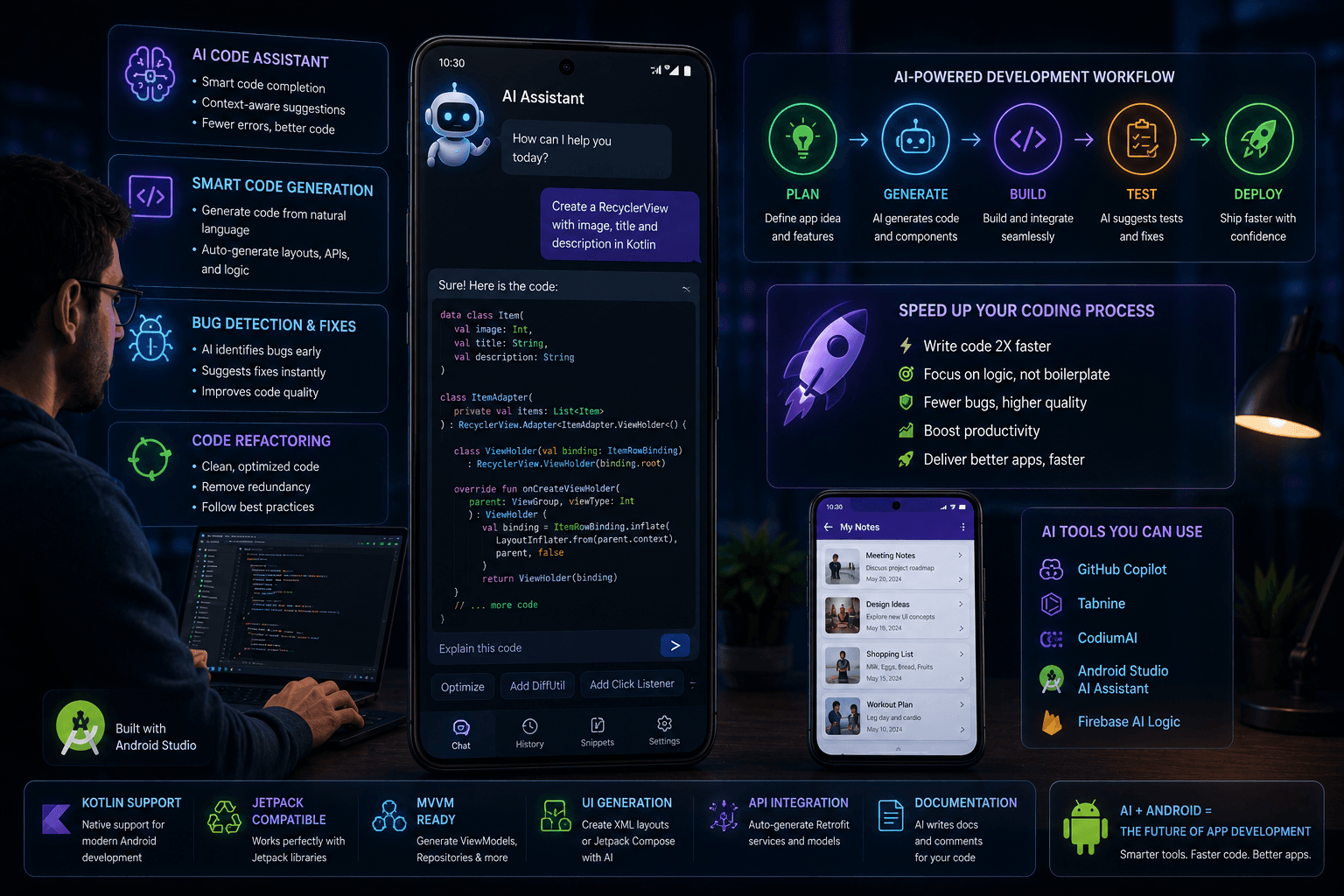
One of the most immediate and impactful applications of AI in Android development is code generation. Developers often spend a considerable amount of time writing repetitive boilerplate code, setting up basic structures, and implementing common functionalities. AI-powered tools can automate much of this tedious work. These intelligent assistants can generate code snippets, functions, and even entire modules based on natural language descriptions or context. Tools like GitHub Copilot, Tabnine, and others leverage vast datasets of existing code to predict and suggest code completions, often with remarkable accuracy. Imagine AI generating UI elements based on a design mock-up, automatically creating API call structures, or handling complex data manipulation logic. This not only saves developers countless hours but also significantly reduces the likelihood of syntax errors and inconsistencies, allowing them to focus on the more creative and complex aspects of app development.
Intelligent Debugging and Error Detection with AI
Debugging is an inherent, and often time-consuming, part of the software development lifecycle. AI offers a powerful new approach to identifying and rectifying bugs and vulnerabilities. AI algorithms can analyze code with a level of depth and speed that surpasses human capabilities, scanning for potential issues, logical flaws, and security loopholes. AI-powered static analysis tools can go beyond simple syntax checks, understanding the context and flow of the application to predict where errors might occur. For instance, AI can identify common Android development pitfalls such as memory leaks, improper handling of background tasks, or potential ANRs (Application Not Responding) errors before they manifest in testing or production. This proactive error detection is invaluable, drastically reducing the time spent on debugging and significantly improving the overall stability and reliability of the application.
AI-Driven Automated Testing: Ensuring Quality and Reliability
Ensuring the quality and reliability of an Android application is paramount. AI is revolutionizing automated testing by making the process more intelligent, efficient, and comprehensive. Instead of manually creating test cases or relying solely on predefined scripts, AI can analyze the application's codebase and user interface to automatically generate relevant test scenarios. AI-powered testing frameworks can create UI tests that mimic user interactions, generate unit tests for specific code modules, and even design integration tests to verify the seamless operation of different app components. These AI-driven tests can adapt to changes in the application, identify edge cases that human testers might miss, and execute tests much faster than manual methods. The result is a more robust application with fewer bugs reaching end-users, and a significant reduction in the manual effort required for testing.
AI-Enhanced UI/UX Design: Creating Engaging User Experiences
User experience (UX) and user interface (UI) design are critical for app success. AI can act as a powerful co-pilot for designers, assisting in the creation of intuitive, engaging, and user-friendly interfaces. AI-powered design tools can analyze user behavior data, industry best practices, and design principles to offer intelligent suggestions. This can range from recommending optimal UI layouts and element placements to suggesting effective color schemes and typography that enhance readability and visual appeal. AI can also assist in rapid prototyping, generating different design variations for A/B testing or quickly iterating on user feedback. By leveraging AI in the design process, development teams can create applications that not only look good but also provide a seamless and satisfying experience for users, leading to higher engagement and retention rates.
Optimizing App Performance with AI: Faster and More Efficient Apps
Performance is a key differentiator for successful Android applications. AI offers sophisticated capabilities for analyzing and optimizing app performance. AI tools can monitor application behavior in real-time, analyze vast amounts of performance data, and pinpoint specific bottlenecks that might be causing slowdowns or excessive resource consumption. Based on this analysis, AI can suggest concrete code optimizations, recommend more efficient algorithms, or advise on better resource management strategies, such as memory allocation or network request handling. By proactively identifying and addressing performance issues, AI-driven optimization ensures that applications are not only faster and more responsive but also consume less battery and data, leading to a superior user experience and potentially lower infrastructure costs.
The Future of Android App Development with AI
The integration of AI into Android app development is still evolving, with immense potential for future advancements. We can anticipate AI tools becoming even more sophisticated, capable of understanding complex project requirements and generating larger, more intricate portions of applications. Imagine AI systems that can autonomously create entire apps from high-level specifications, significantly reducing development time and effort. Furthermore, AI could play a crucial role in personalized app experiences, adapting interfaces and functionalities based on individual user preferences and contexts. As AI capabilities grow, it will become increasingly important for developers to adapt, embracing these tools not as replacements, but as powerful collaborators. The long-term impact of AI on the Android app development industry will likely be a paradigm shift, leading to more accessible, efficient, and innovative mobile solutions.
Conclusion: Embrace AI to Accelerate Your Android App Development
The benefits of integrating AI into the Android app development process are clear and compelling. From automating tedious coding tasks and enhancing debugging to improving testing, design, and performance, AI offers a powerful suite of tools to accelerate development cycles, reduce costs, and elevate application quality. In today's competitive market, leveraging AI is not just an advantage; it's becoming a necessity for staying ahead. We encourage you to explore the growing ecosystem of AI tools and thoughtfully integrate them into your workflow. By doing so, you can unlock new levels of productivity and innovation.
FAQ:
Q: How does AI help reduce development costs?
A: AI reduces costs by automating repetitive tasks, minimizing bugs through early detection, speeding up testing, and optimizing resource usage, all of which decrease the time and effort developers need to invest.
Q: Can AI replace human developers in Android app development?
A: No, AI is designed to augment human capabilities, not replace them. It handles repetitive and data-intensive tasks, freeing up developers to focus on creativity, complex problem-solving, and strategic decision-making.
Q: What are some popular AI tools for Android development?
A: Popular tools include GitHub Copilot for code completion, Tabnine for intelligent code suggestions, and various AI-powered platforms for automated testing and UI/UX analysis.
Q: Is AI adoption difficult for existing development teams?
A: While there's a learning curve, most AI tools are designed for seamless integration into existing workflows. Training and gradual adoption are key to a smooth transition.
Ready to revolutionize your Android app development process? Contact BigOsoft today to learn more about our AI-powered solutions and how we can help you build faster, better, and more efficient apps.