
In the dynamic world of game development, the tools we use are just as critical as the code we write. Among these essential tools, game controllers hold a special place. For developers, selecting the right controller isn't just about personal preference; it's about ensuring compatibility, understanding user experience, and facilitating rigorous testing across multiple platforms. This guide delves into the best game controllers for PC, Nintendo Switch, PlayStation 5, and Xbox, offering a developer's perspective on why each choice matters.
Introduction: Why Controller Choice Matters for Developers
- For game developers, controller compatibility and ergonomics are paramount. A controller that feels good in hand and functions flawlessly across different systems directly impacts the efficiency and quality of the development process. Understanding how players interact with games through various input devices is key to creating an immersive and enjoyable experience.
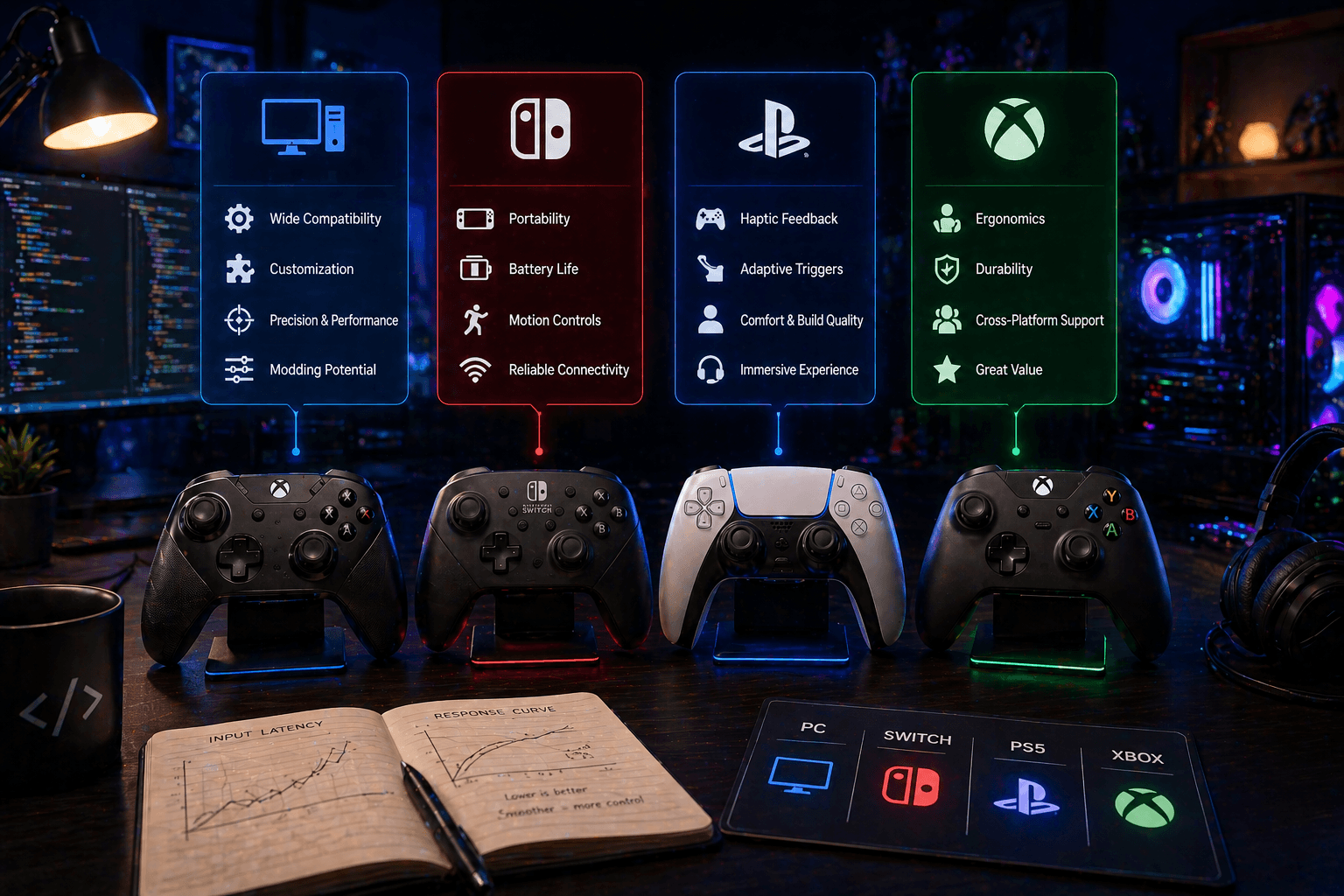
- Different platforms present unique controller ecosystems. PC offers unparalleled flexibility, the Nintendo Switch blends handheld and docked modes with unique Joy-Con functionality, the PS5 boasts innovative haptic feedback and adaptive triggers, and Xbox continues its legacy of widespread compatibility. Developers must navigate these differences to ensure their games perform optimally everywhere.
- The subtle nuances of controller input can profoundly affect gameplay feel. Testing with a variety of controllers allows developers to fine-tune responsiveness, calibrate motion controls, and ensure that button mappings are intuitive, ultimately shaping the player's perception of the game's mechanics and polish.
Quick Answer: The best game controllers for developers vary by platform but generally include the Xbox Wireless Controller for its broad PC compatibility, the Nintendo Switch Pro Controller for reliable Switch development, the PS5 DualSense for its advanced features, and the Xbox Wireless Controller (Series X/S) for Xbox development. Prioritizing compatibility, ergonomics, and specific platform features is key for effective game creation and testing.
Best PC Game Controllers for Developers
- Xbox Wireless Controller: This remains the gold standard for PC gaming due to its near-universal compatibility with Windows. Its familiar layout and ease of use make it a go-to for general testing and development.
- PlayStation DualSense: While primarily for PS5, the DualSense controller can be used on PC, offering developers a chance to test advanced features like haptic feedback and adaptive triggers, which can be crucial for games designed to leverage these unique capabilities.
- Steam Controller (if available): Though less common now, the Steam Controller's highly customizable input options (touchpads, gyro) made it excellent for testing niche genres or games requiring complex, non-traditional control schemes.
- Third-party PC controllers (e.g., 8BitDo): Brands like 8BitDo offer controllers with retro designs, unique feature sets, and excellent build quality. They are particularly useful for testing games with specific retro influences or for developers who prefer a different ergonomic feel.
Top Nintendo Switch Controllers for Development
- Nintendo Switch Pro Controller: This is the essential controller for any serious Switch development. It offers a comfortable, traditional gamepad experience and is the benchmark for testing standard controller input on the platform.
- Joy-Cons: Absolutely critical for testing. Developers need to test with Joy-Cons attached to the console, detached, and in various configurations to ensure handheld mode, motion controls, and local multiplayer setups function as intended.
- Third-party Switch controllers (e.g., PowerA): While the Pro Controller is ideal, affordable third-party options can be useful for having multiple controllers on hand for testing local multiplayer or for developers who find specific third-party ergonomic designs more comfortable.
PlayStation 5 (PS5) Controllers for Developers
- DualSense: This is non-negotiable for PS5 development. Its advanced haptic feedback and adaptive triggers are defining features of the platform. Developers must test extensively with the DualSense to ensure these features are implemented effectively and enhance gameplay.
- DualShock 4 (PS4 Controller): For games planned with backward compatibility or for testing on older hardware, the DualShock 4 remains relevant. It's also useful for developers who might be more familiar with its layout.
- Third-party controllers on PS5: While Sony's first-party controllers are recommended, some third-party options exist. Developers should verify compatibility and feature support, as not all third-party controllers will fully replicate the DualSense experience.
Xbox Series X/S Controllers for Developers
- Xbox Wireless Controller (Series X/S): The standard for Xbox development. It builds upon the previous generation with subtle ergonomic improvements and a dedicated share button, making it the primary tool for testing on the latest Xbox consoles.
- Xbox Elite Wireless Controller Series 2: For developers who need to test advanced customization options, remappable buttons, or profile switching, the Elite controller is invaluable. Its premium features allow for in-depth testing of complex control schemes.
- Older Xbox controllers (Xbox One): Testing with an Xbox One controller is important for ensuring backward compatibility and reaching a wider audience. It helps verify that games function correctly on a broader range of Xbox hardware.
Key Features to Consider When Choosing a Controller
- Compatibility: Ensure the controller works seamlessly with your target development environment (PC OS, specific console SDKs) and the game engine you are using.
- Ergonomics: Long hours are part of game development. A comfortable controller that fits your hand well can prevent fatigue and improve focus during extended testing sessions.
- Input Lag: For precise gameplay and accurate testing of timing-sensitive mechanics, low input latency is crucial. Wireless controllers have improved significantly, but wired connections often offer the lowest latency.
- Features: Consider the unique features of modern controllers – haptics, adaptive triggers, gyro controls, touchpads. If your game plans to utilize these, you'll need controllers that support them for testing.
- Durability: A well-built controller can withstand frequent use and abuse during the development cycle. Investing in a durable controller saves money and prevents disruptions caused by hardware failure.
Controller Mapping and Input Handling in Game Engines
- Popular game engines like Unity and Unreal Engine provide robust input system APIs that allow developers to map controller inputs to in-game actions. Understanding these systems is fundamental to creating flexible and responsive control schemes.
- A common challenge is ensuring consistent controller mapping across different platforms and controller types. Developers often need to implement logic that detects the connected controller and adjusts input mappings accordingly, or rely on engine-provided abstractions.
- Resources like engine documentation, community forums, and online tutorials offer invaluable guidance on implementing advanced controller input handling, managing different controller layouts, and troubleshooting common issues. Mastering these aspects is key to delivering a polished player experience.
Conclusion: Choosing the Right Controller for Your Development Needs
Selecting the right game controllers is an integral part of the game development process. From the ubiquitous Xbox Wireless Controller on PC to the feature-rich DualSense on PS5, and the essential Pro Controller and Joy-Cons for Nintendo Switch, each platform demands specific considerations. As developers, it's crucial to test with a variety of controllers to ensure broad compatibility, optimal performance, and an engaging player experience. Experimenting with different input devices will not only refine your game's mechanics but also deepen your understanding of player interaction. Ultimately, the best controller is the one that best serves your game's design and your development workflow.
FAQ
- Q: Do I really need a controller for every platform?
- A: While not strictly mandatory for all development, having the primary first-party controller for each target platform is highly recommended for accurate testing and feature implementation.
- Q: How important is controller ergonomics for developers?
- A: Very important. Developers spend long hours testing. Comfortable controllers reduce fatigue and improve efficiency.
- Q: Can I use third-party controllers for official console development?
- A: For testing and general development, yes. However, for final submission and leveraging specific platform features, first-party controllers are usually required or recommended.
- Q: What's the biggest challenge in controller input handling?
- A: Ensuring consistent mapping and functionality across a wide variety of controllers and platforms is a significant challenge.
CTA: Level Up Your Game Development with BigOsoft
Are you looking for expert assistance with your game development project? BigOsoft offers a range of services to help you succeed, from concept to launch. Contact us today to learn more about our game development services and how we can help you bring your vision to life.